
Native macOS App
Scripts and services,
one tap away.
No crontab. No launchd. Create, schedule, and forget. Built with SwiftUI for macOS 14+.
No crontab. No launchd. Create, schedule, and forget. Built with SwiftUI for macOS 14+.
Native SwiftUI interface, perfectly integrated with macOS.

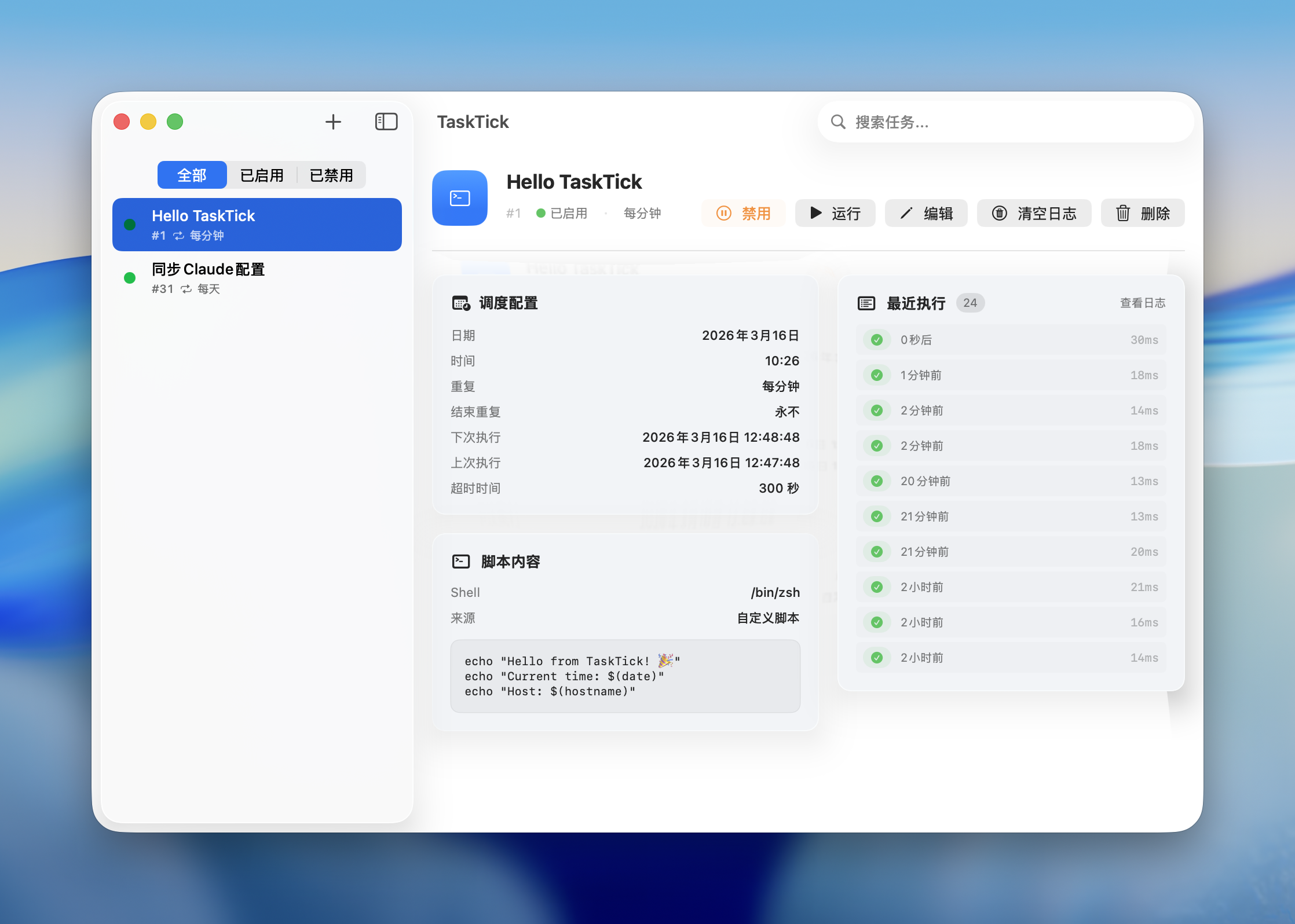
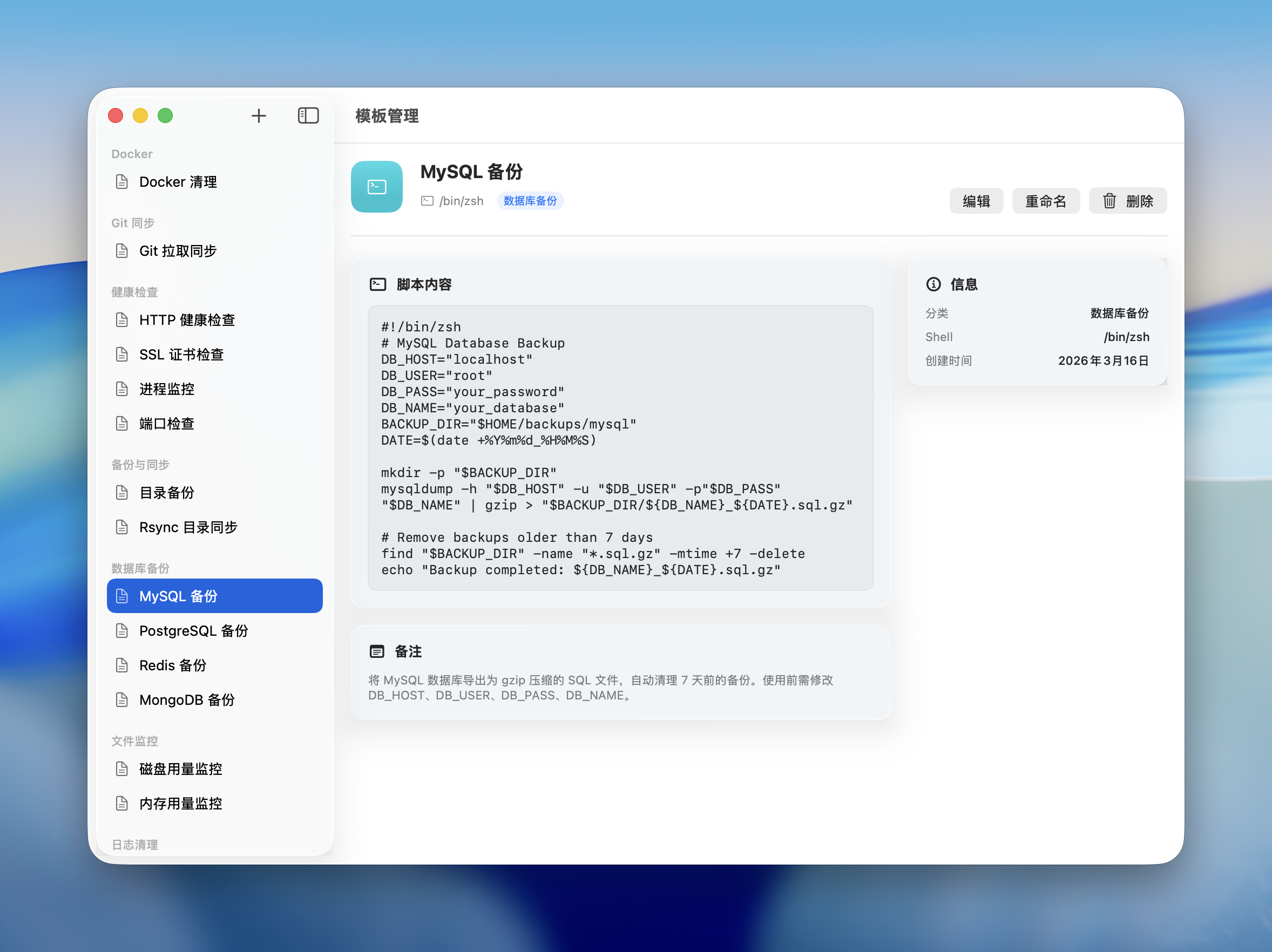
Start with built-in templates for database backup, log cleanup, health checks, Docker management, and more. Save your own scripts as reusable templates with categories and notes.

Search, run, stop, and restart your scheduled tasks right from Raycast. Install the official TaskTick extension from the Raycast Store and control everything without leaving your keyboard.
Get it on Raycast StoreBuilt for developers who want scheduled tasks without the complexity.
Press ⌘⌥T anywhere to fuzzy-search and launch any script. Start, stop, and restart with a single keystroke.
Runs silently in background. Close the window, tasks keep running.
Date, time, repeat cycles — intuitive UI like Reminders, or write a cron expression.
Bash, Python, Ruby, Node.js — inline or from file.
Built-in templates for common tasks. Create, edit, and organize your own.
stdout, stderr, exit codes, duration — all captured.
Import from system crontab with one click.
Full multilingual interface, switch anytime.
Liquid glass effects on supported systems, graceful fallback.
brew tap lifedever/tap
brew install --cask task-tick
Download .dmg from
GitHub Releases
Install TaskTick from the
Raycast Store